Connecting AI agents (MCP)
Connect Claude Desktop, Cursor, opencode, or any MCP client to your workspace using secure personal access tokens.
The Model Context Protocol (MCP) is the open standard enabling AI agents to interact with external systems. Your workspace serves as an MCP server: once connected, your agents can list overdue tasks, create projects, and retrieve briefings within your authorized scope.
https://weflow-backend-v1-production.up.railway.app/api/mcp
1. Generate an MCP access token
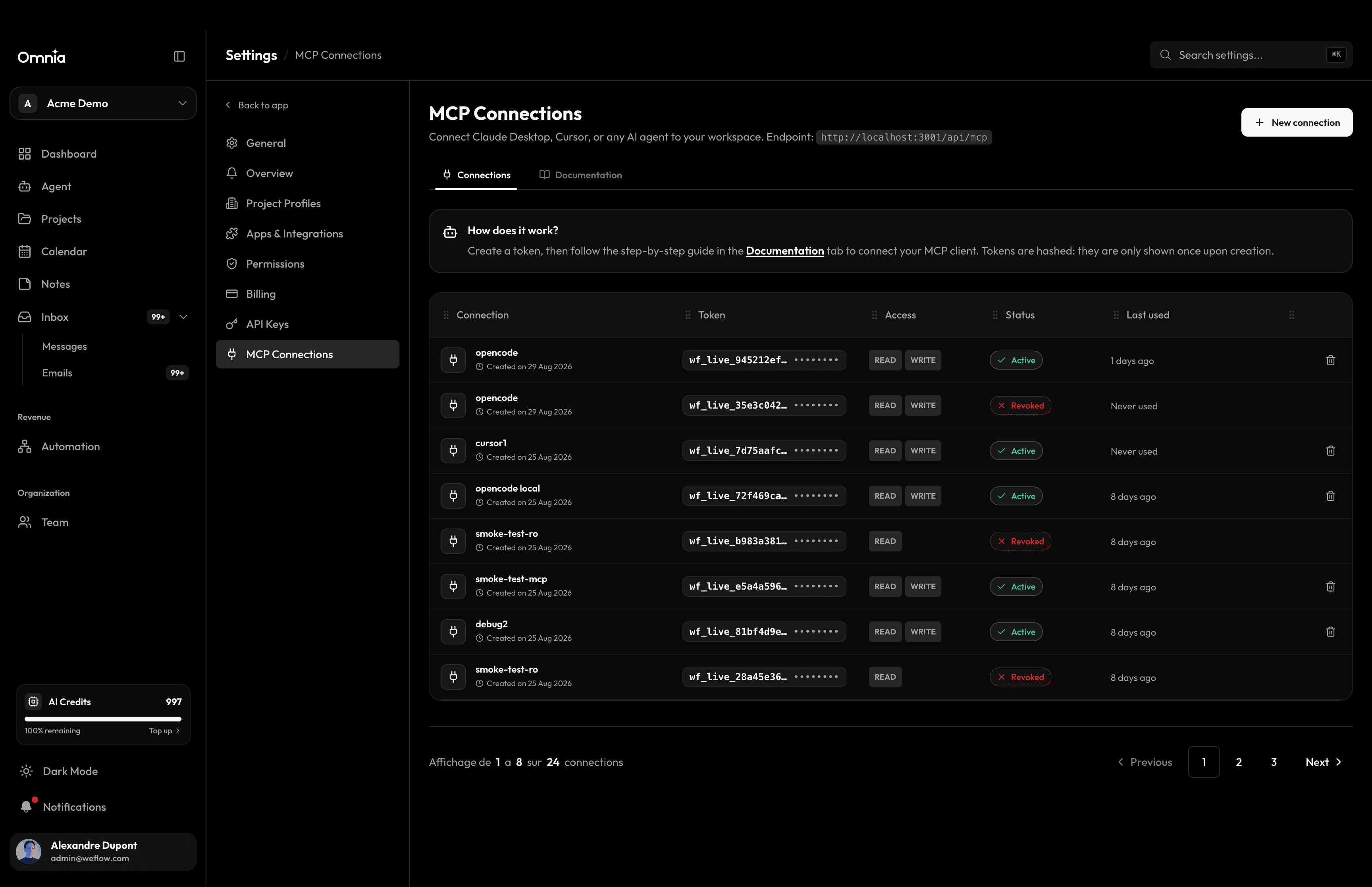
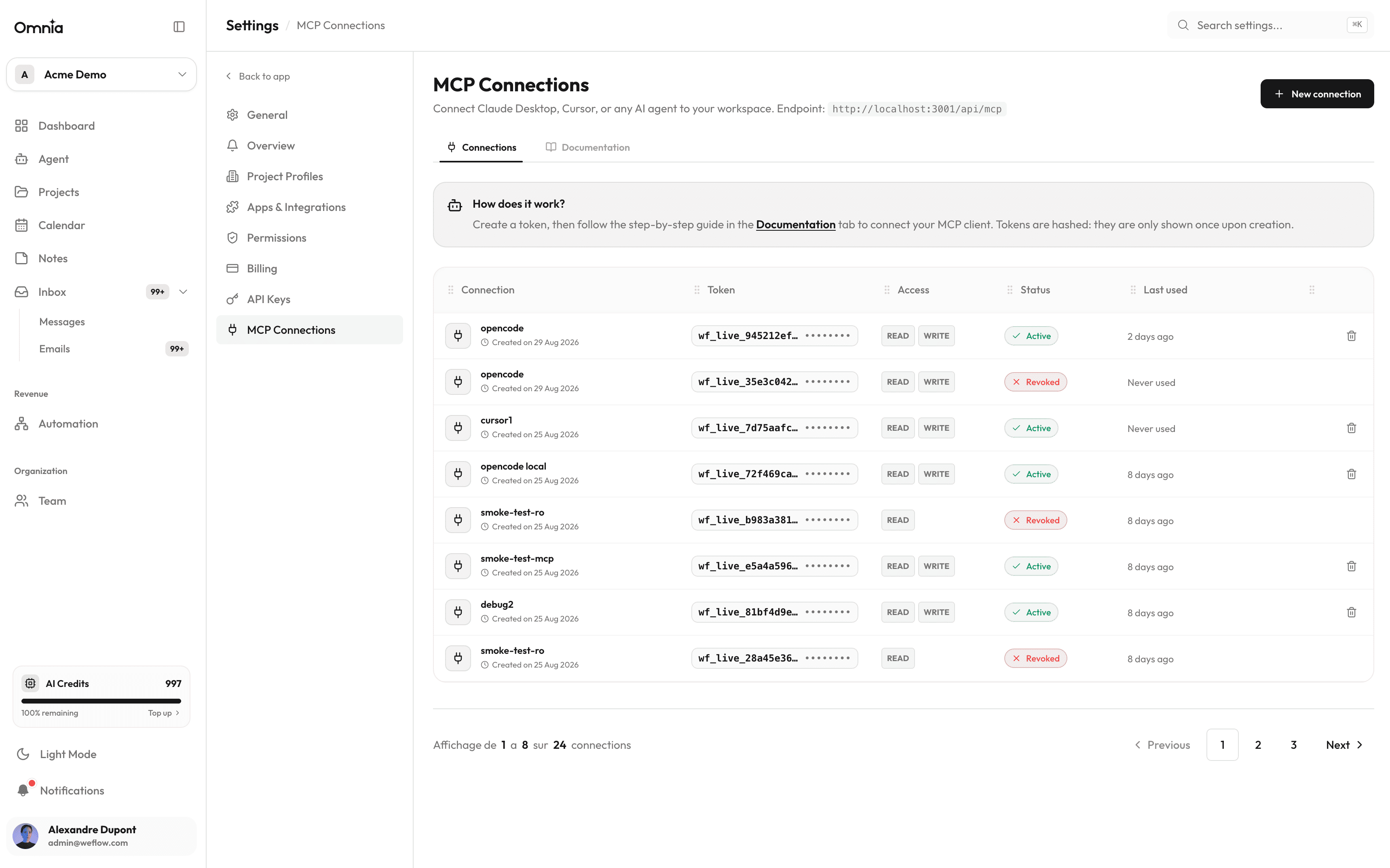
Navigate to Settings › MCP Connections to create a dedicated Personal Access Token (PAT) for your AI agent client.
- 1
Click “New Connection”
Give the connection a descriptive label (“Claude Desktop”, “Cursor”, “opencode”…).
- 2
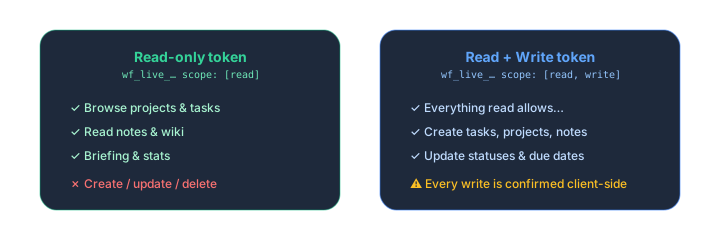
Select access tier
Read-only (inspect data) or Read + Write (create and modify tasks and projects).
- 3
Copy your token
The token (prefixed with wf_live_) is shown only once. It is stored hashed with SHA-256 in the database.
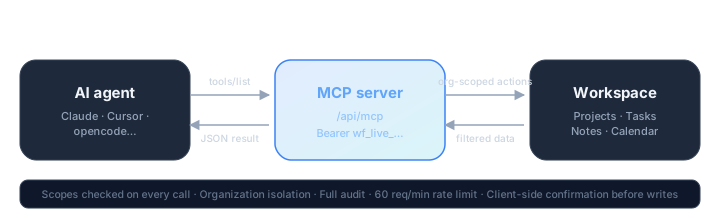
2. Architecture & data flow
3. Configure your AI clients
{
  "mcpServers": {
    "omnia": {
      "type": "streamableHttp",
      "url": "https://weflow-backend-v1-production.up.railway.app/api/mcp",
      "headers": {
        "Authorization": "Bearer wf_live_YOUR_TOKEN"
      }
    }
  }
}
4. Security & guardrails
- Scopes validated on every tool execution — read-only tokens are prevented from writing.
- Strict tenant isolation — agents only access your organization, never other tenants.
- Client-side confirmation — write operations prompt for user approval in Claude/Cursor/opencode.
- Rate limiting — 60 requests/minute per token.
- Comprehensive audit log — every tool invocation, parameters, and status is recorded.
- Instant revocation — deleting a token cuts access immediately.