Omnia AI Assistant
Artificial intelligence at the heart of your flow: conversational assistant, floating contextual drawer, and natural language actions.
The Omnia AI Assistant operates as an intelligent copilot for your company. It goes far beyond generic chat: it actively interacts with your projects, tasks, documentation, and calendar.
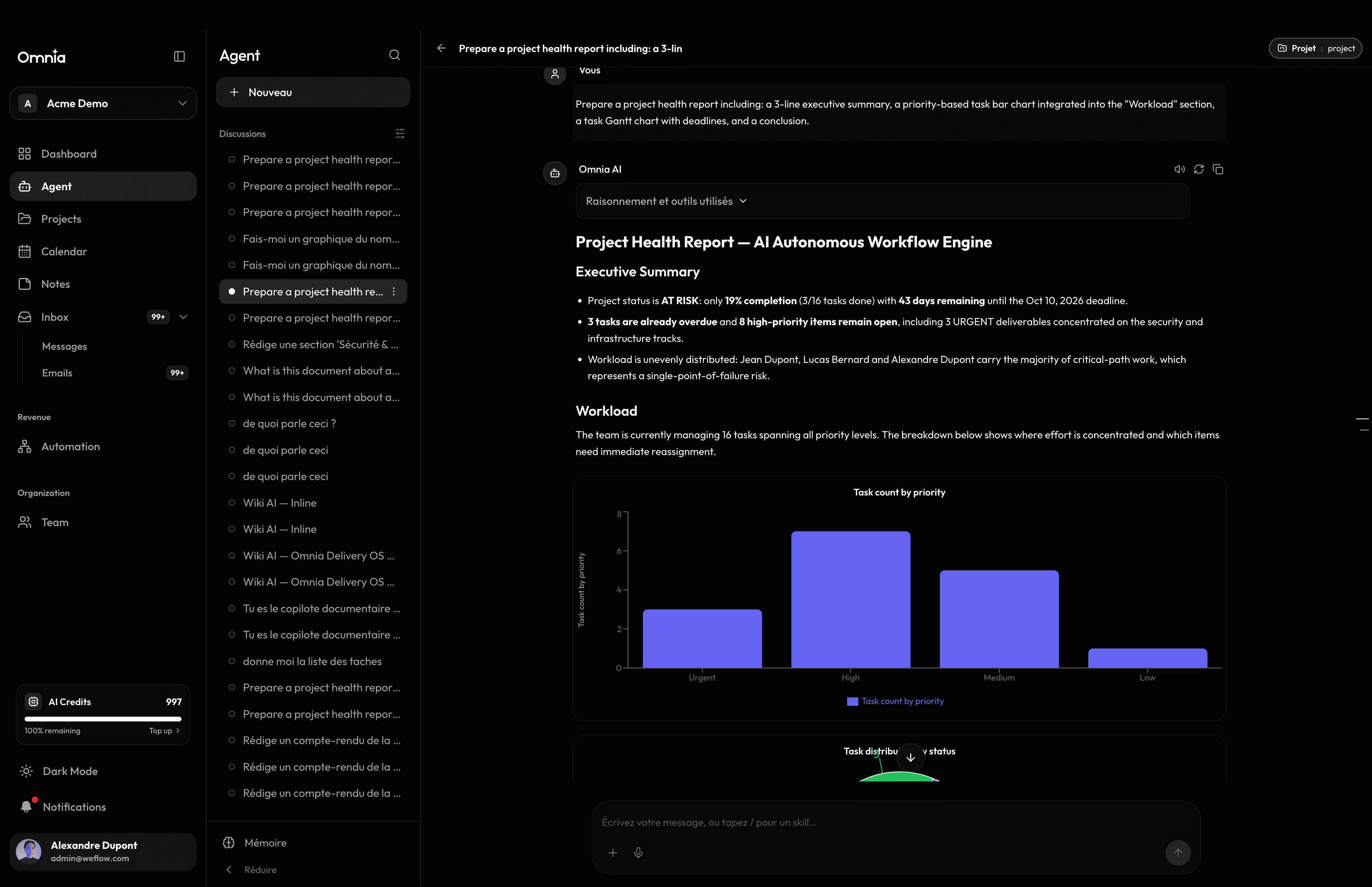
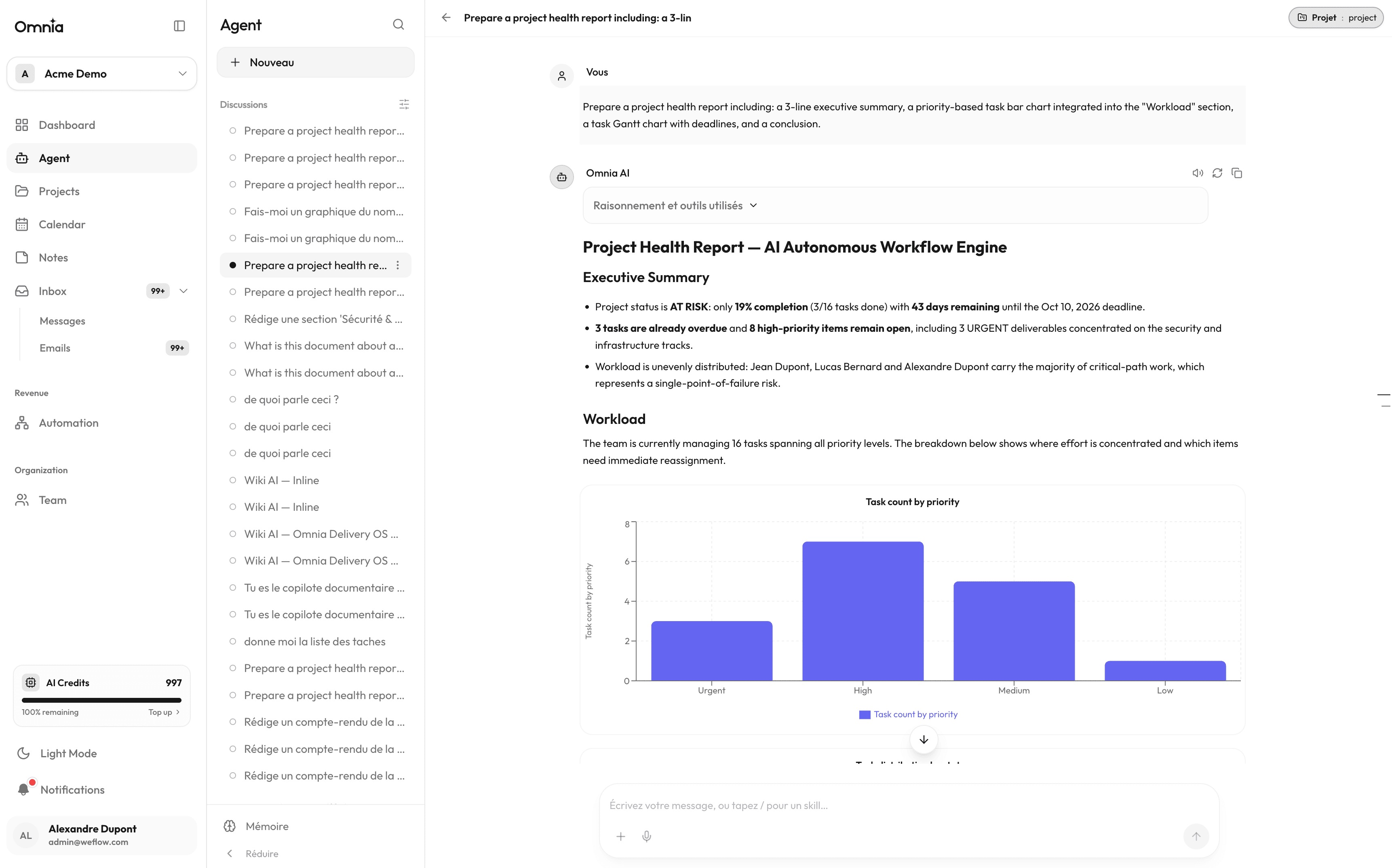
Dedicated full-screen conversational assistant
Accessible in full-screen mode, the chat assistant executes complex natural language requests: analyzing sprint delays, distilling action items from notes, or summarizing high-priority projects.
- Create, update, and prioritize tasks from natural language prompts.
- Personalized daily briefing: upcoming deadlines, meeting agenda, and overdue warnings.
- Semantic search across your notes and wikis to respond with accurate company context.
- Proactive schedule optimization and team workload rebalancing recommendations.
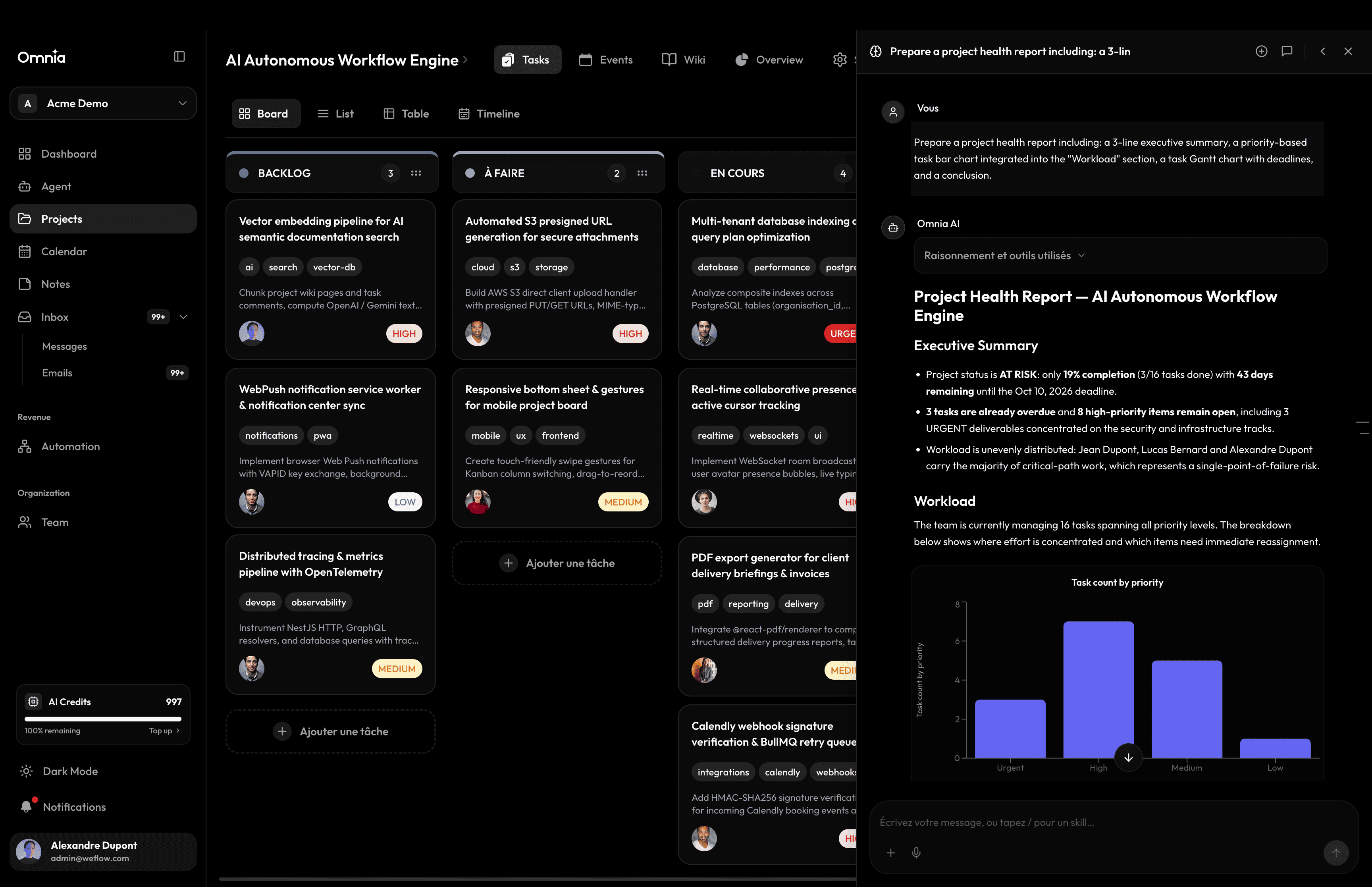
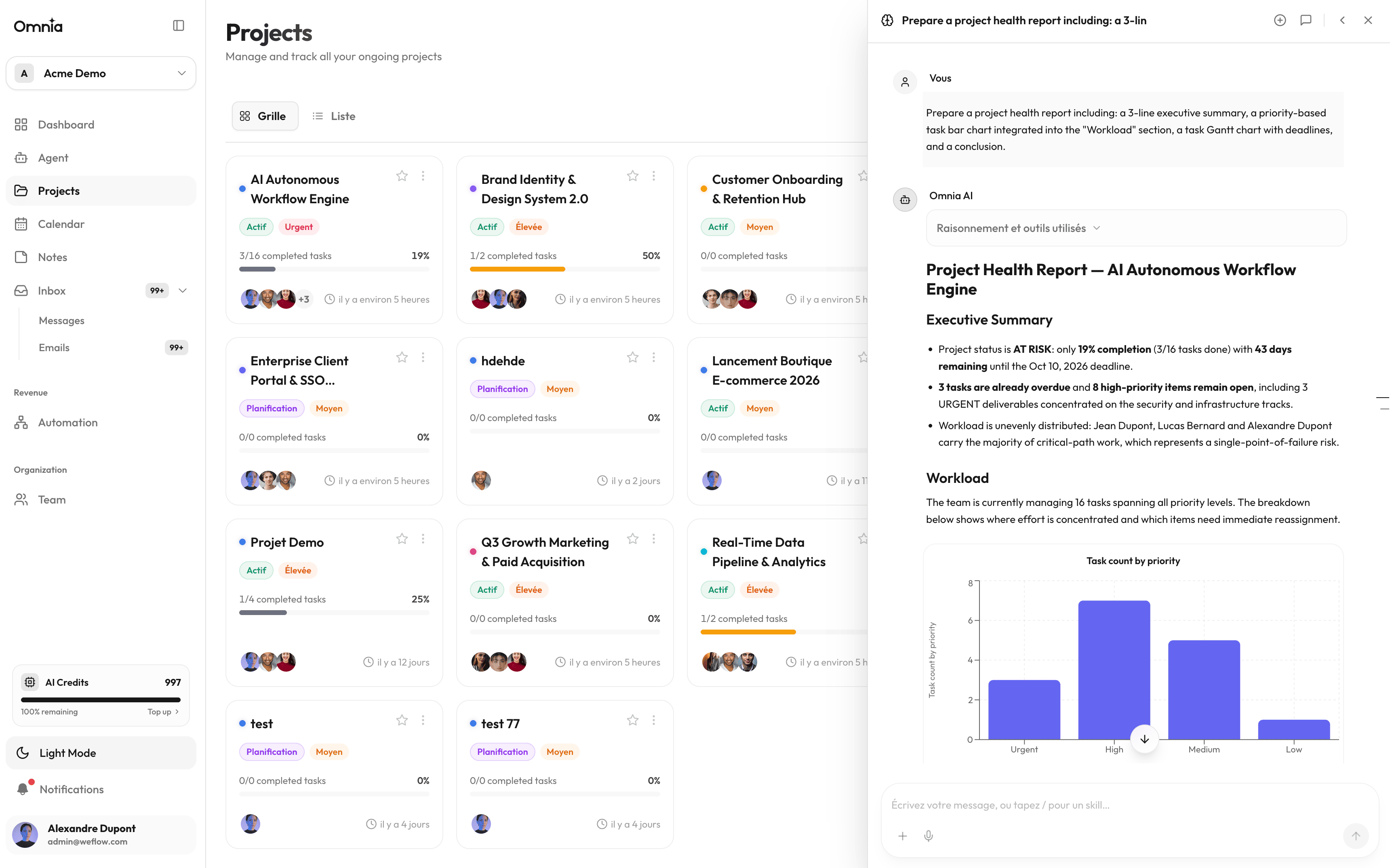
Floating contextual widget
From any screen in the workspace, open the floating assistant drawer using ⌘K or ⌘ Enter. The assistant recognizes the active page context and helps you immediately.
Strict privacy safeguards
Your workspace data is never shared across tenants and is never utilized to train public foundation models.